
Lineup cards and coach sheets to print
Some coaches want paper in the dugout. Dugout Relief prints a coach sheet and a lineup card for each game, a stats sheet or scorecard for your scorekeeper, and a season summary for each player. Here are the sample team’s, as PDFs.
The five printouts
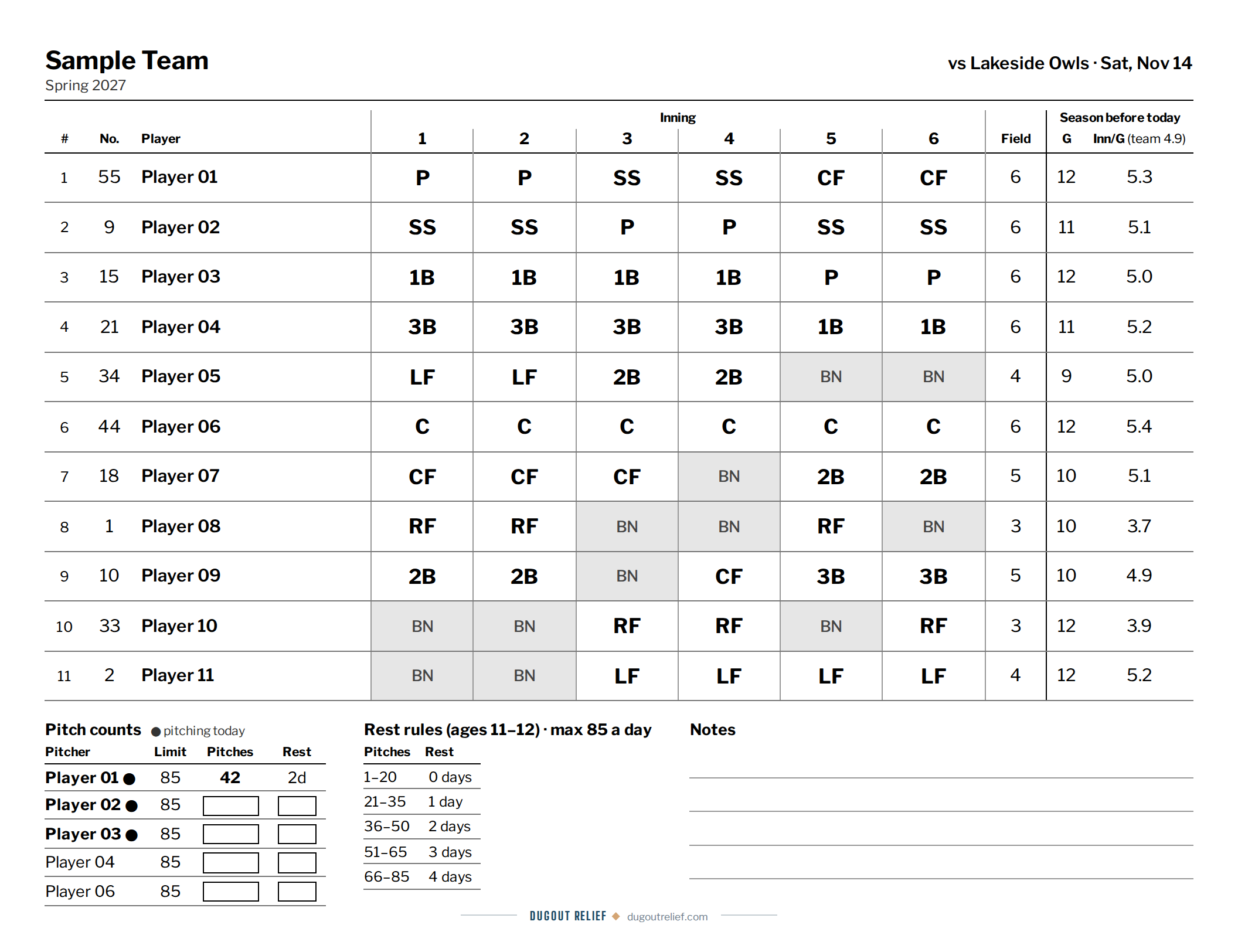
Coach sheet
Six pages. Every inning's positions in batting order, who sits when, each player's season playing time with anyone behind marked, and each pitcher's limit with a box for the count. Then the field with who plays each position every inning, a depth chart with who can pitch today, the batting order four times to cut out for the scorekeeper and base coaches, the order in big type for the dugout wall, and a big scoreboard with room for what to celebrate and what to work on.
DugoutPrintCoach sheet
Open the sample coach sheet (PDF) (opens in a new tab)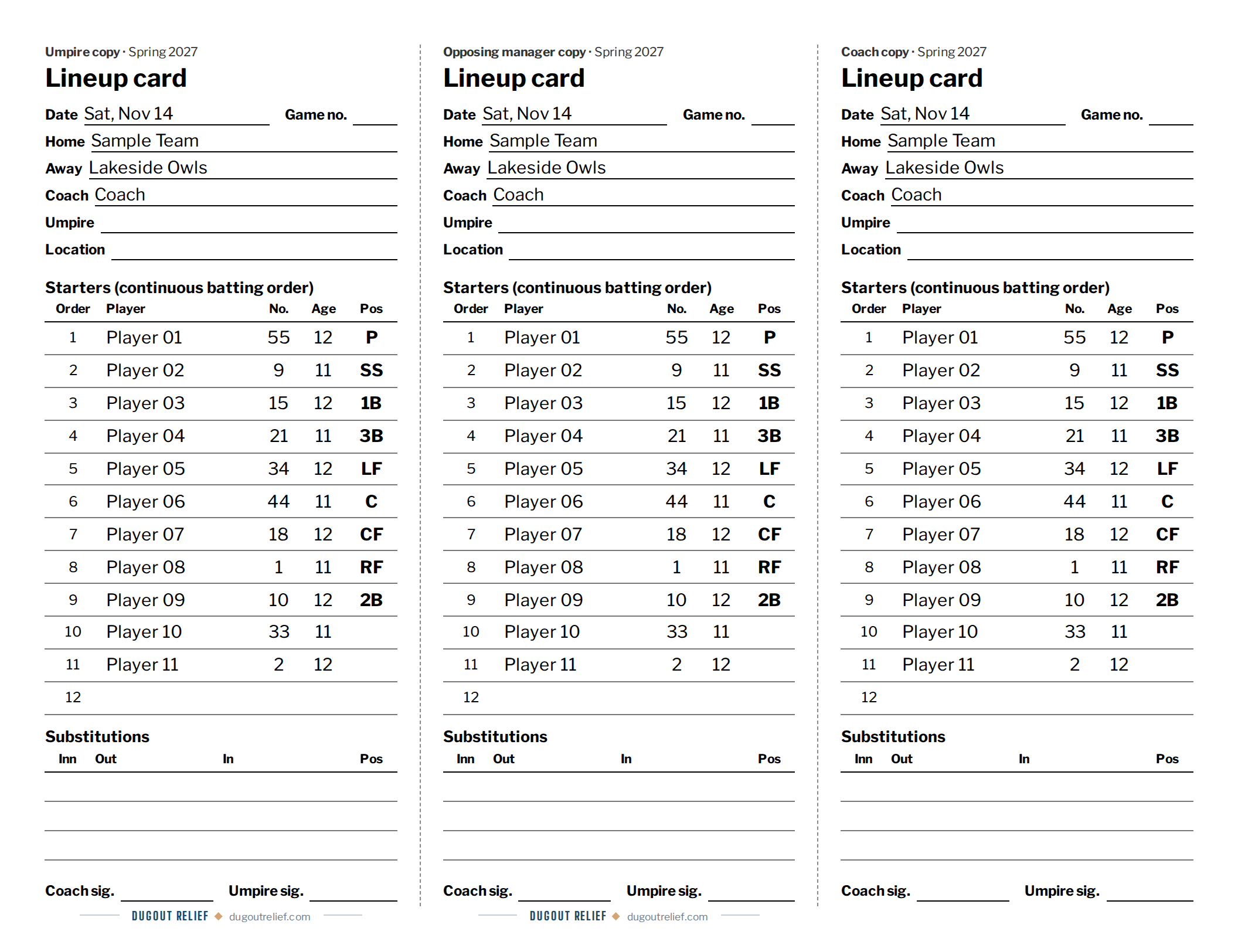
Lineup card
Three copies on one page, for the umpire, the other team's manager, and you. Cut along the dashed lines.
DugoutPrintLineup card
Open the sample lineup card (PDF) (opens in a new tab)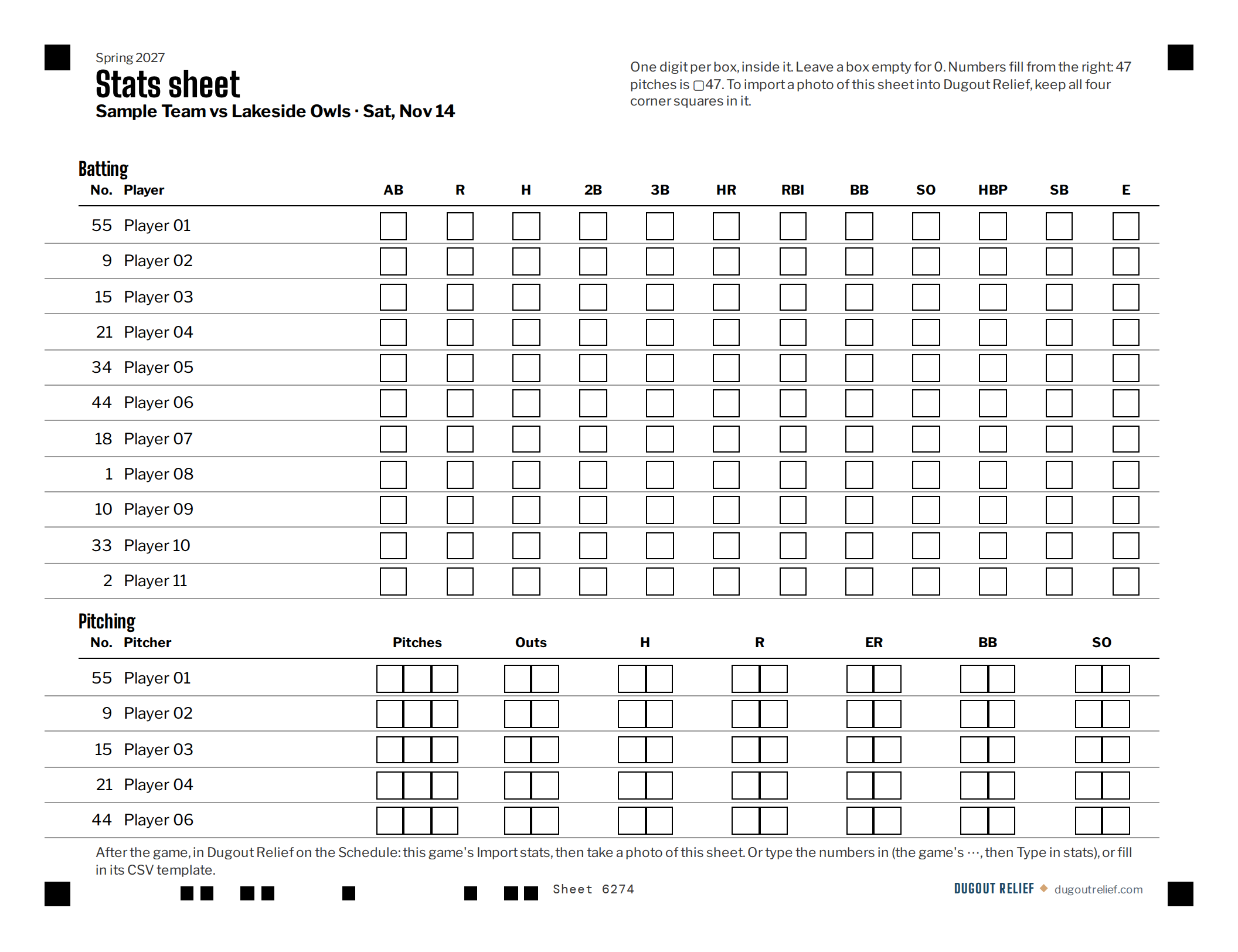
Stats sheet
For a scorekeeper on paper. The batting order with names and numbers, rows for your pitchers, and a box for each digit, so only numbers get written in. After the game, take a photo of it in Import stats and Dugout Relief reads the numbers, or type them in.
Using a stats sheet, a GameChanger file, or typing stats in: how to import a game’s stats
DugoutPrintPrint stats sheet
Open the sample stats sheet (PDF) (opens in a new tab)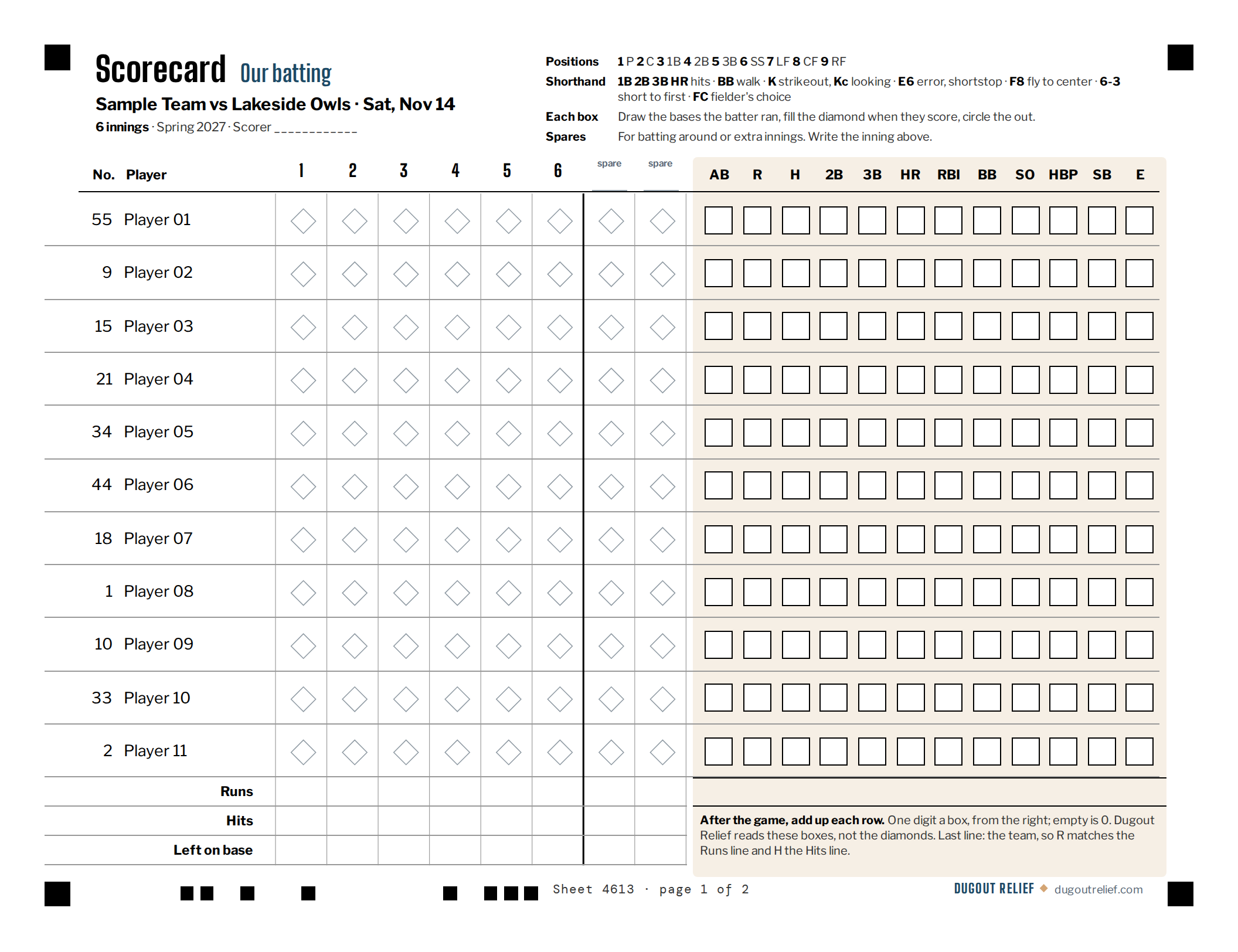
Scorecard
Two pages for a scorekeeper who keeps a scorebook: your batting order with a diamond for each at-bat, then the other team's batters and your pitchers. Innings follow your league's game length, with two spares for batting around or extra innings. After the game, add up each row into the boxes and take a photo of each page in Import stats.
Scoring with it and importing the photos: the scorecard
DugoutPrintPrint scorecard
Open the sample scorecard (PDF) (opens in a new tab)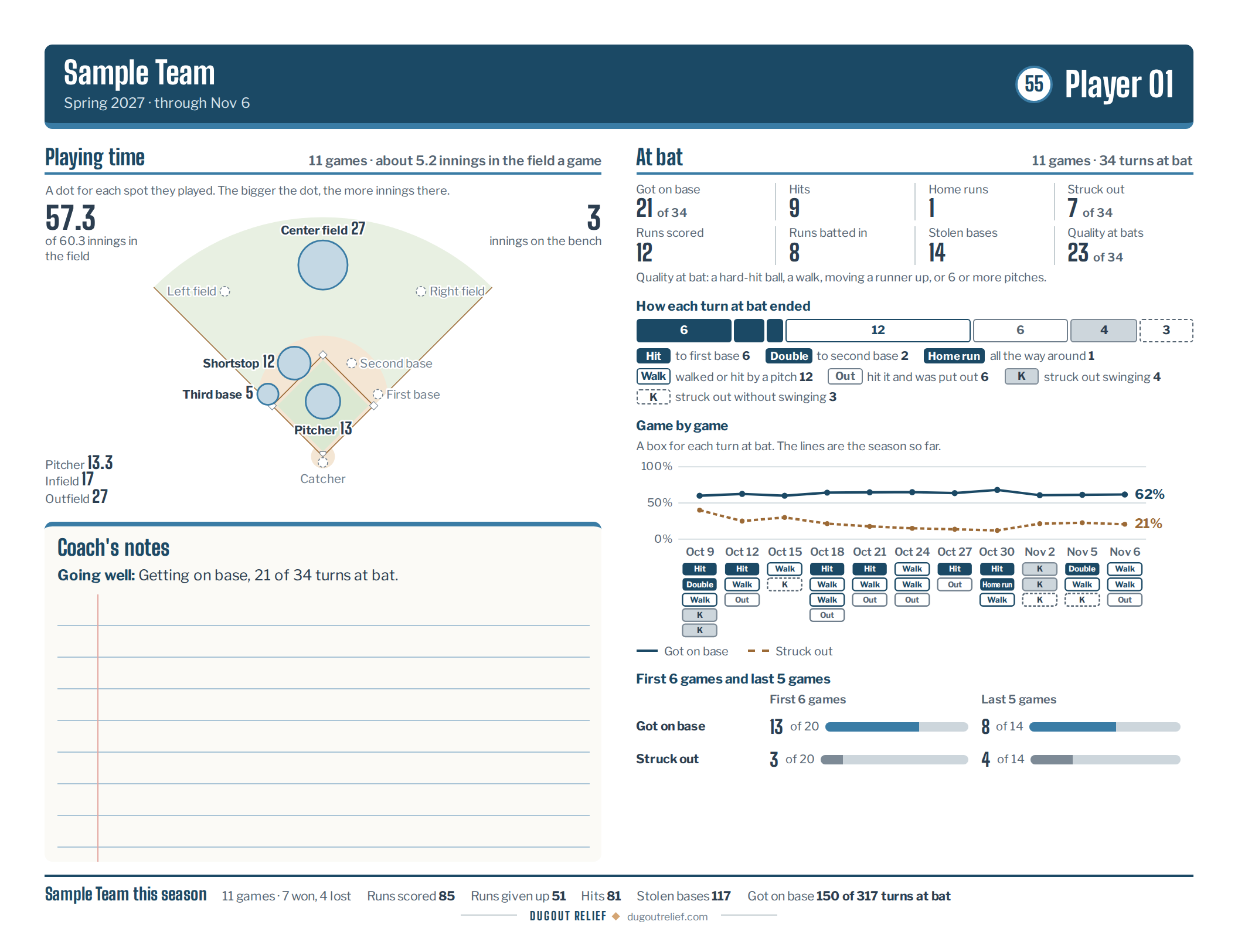
Player summary
One player's season for their family, in plain words: where they played on the field, how each turn at bat ended, game by game, what's going well, and space for your notes. Pitchers get a second page: every game pitched against the daily limit and the rest days it took.
StatsPlayersPrint player summary
Open the sample player summary (PDF) (opens in a new tab)


How to print
The lineup card and stats sheet each fit one letter page, landscape; the scorecard takes two; the player summary takes one, or two for a pitcher; the coach sheet runs six. Print from a phone, tablet, or computer, or save it as a PDF to send to another coach or a player’s family. The app sets the page up for you; if your printer asks, pick letter paper and landscape.
The coach sheet, lineup card, stats sheet, and scorecard print the game open in the Dugout, so build the lineup first. The player summary prints the player open on Stats › Players, from the games with stats entered. Each one shows on screen first, so you can check it before you print.